
Livego video chat,
party rooms & card games.
Livego is a live video chat and social party app that combines face-to-face conversations, themed rooms and question-and-challenge cards. Here’s how to choose your starting point.
What is Livego video chat?
Livego video chat lets people interact face to face in real time. The iOS app’s published description brings video together with social party rooms and card games, giving a conversation a shared activity rather than relying only on text messages.
A good first step is to choose an experience that feels comfortable. A video conversation makes expressions and reactions part of the moment. A themed room gives the group a subject to talk about. A card provides a question or playful challenge to start with.
What are themed party rooms?
Themed party rooms are shared spaces built around a topic and group interaction. Livego’s app description includes multiplayer rooms for card games and relaxed video hangouts. A common theme can give people something to discuss before they know each other well.
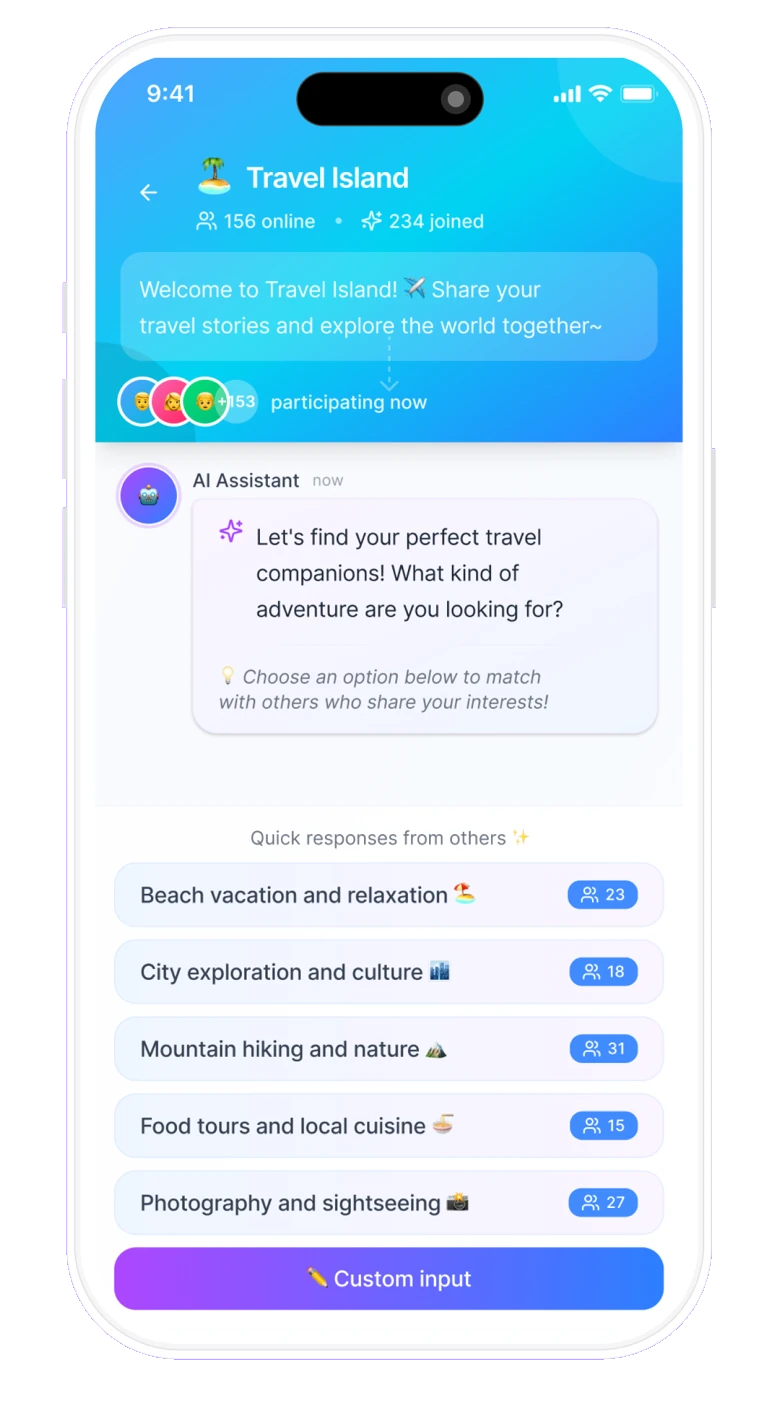
App design preview supplied by the product team. The interface, sample counts and available features may differ in the current app.
For example, a travel topic can start with a place you would love to visit or a memorable trip. The point is to offer a natural opening for conversation; a room theme does not guarantee a particular match or outcome.
How do question and challenge cards work?
Question-and-challenge cards are prompts for shared play. The app’s description presents turn-based gameplay in which people answer questions or try lighthearted challenges during a video hangout. The cards give the group a structure and something to react to together.
Try an easy first question
- If you could travel anywhere tomorrow, where would you go?
- Which song do you always come back to?
- What would your perfect Sunday look like?
These are example icebreakers from this website, not a promise about the app’s current card library. Choose what you are comfortable sharing and respect someone’s choice to skip a topic.
How do I start using Livego?
- Choose an entry point. Open Livego Web or download Livego: Play & Live Video Chat on the App Store.
- Follow the sign-in guidance. Review the options, terms and permissions shown in that experience.
- Explore what is available. Pick a conversation, room or activity offered in your version. Introduce yourself and let the conversation develop at your own pace.
| Entry point | Where to go | What to check |
|---|---|---|
| iOS app | Apple App Store | Device compatibility, regional availability, app features and purchases. |
| Web | livegovideochat.com | Current browser experience, sign-in options, features and pricing. |
The app and browser experience may offer different features. Do not assume that account options, purchases or every activity are shared between them.
Is Livego free to download?
The iOS app is listed as free to download on the App Store. Some experiences may include in-app purchases. Free download does not mean every call, game, item or activity is free. Review the price and purchase terms displayed in the app before paying.
Check the current App Store listing for the age rating and availability in your region. This website does not provide an Android download or a separate installation file.
Privacy, respectful conversations and help
Keep passwords, payment details and private contact information to yourself. Share at your own pace, respect other people’s boundaries and leave a conversation if it makes you uncomfortable.
Read the Privacy Policy and Terms of Service linked in Livego’s App Store description. For help, contact the published support address: appledev@billionnet.work.
Product information is based on the Livego App Store listing, reviewed November 11, 2026. Available features, pricing and appearance may change. Design previews show illustrative app content, not live user activity.