 A FRESH PERSPECTIVE
Different worlds.
Same good energy.
 Livego.
Livego is a live video chat and social party app.
Meet new people through themed rooms and question-and-challenge cards.
A FRESH PERSPECTIVEDifferent worlds.
Same good energy.

Beach days or mountain trails?
Explore the iOS app
A little preview of the possibilities. Scenes are illustrative, not live user activity.
Live video, shared rooms and playful cards.
Explore the app, one experience at a time.
Start with something you have in common. A themed room gives every new conversation a place to begin.
Get Livego for phone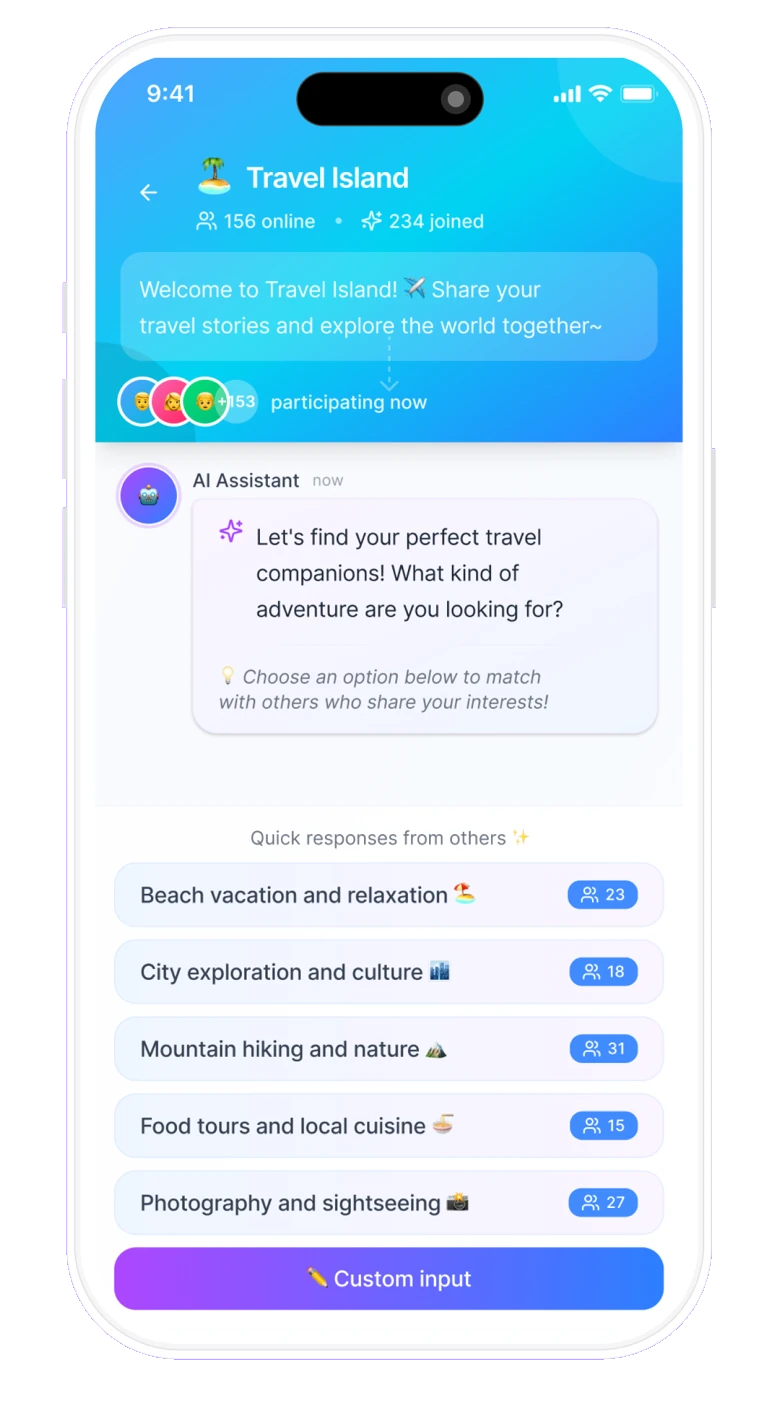
Share a thought, ask a question and keep the conversation going. Group messages give shared moments a little more room.
Get Livego for phone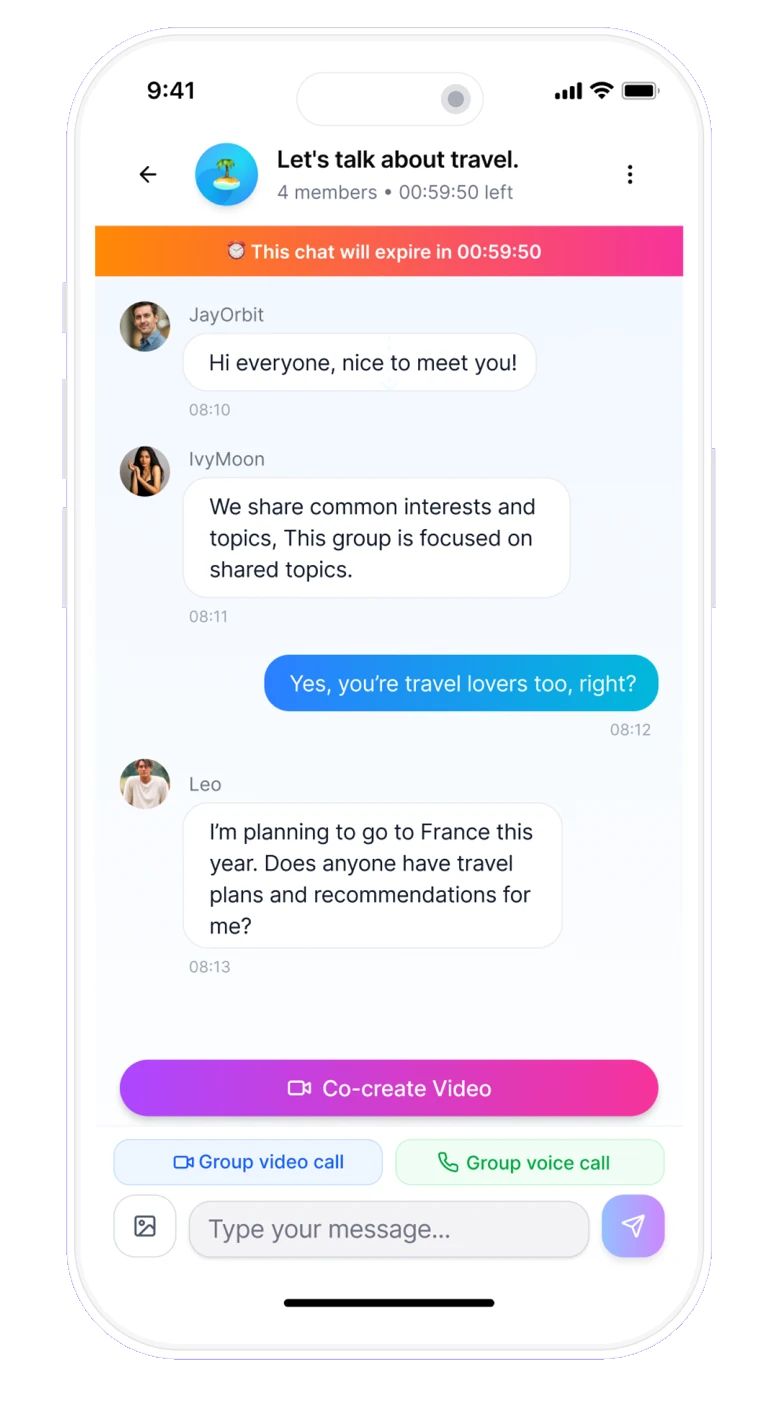
The iOS app combines video hangouts with turn-based question-and-challenge cards. A question gives everyone a turn and the conversation a place to start.
Get Livego for phoneiOS app design previews and example prompts. Features and appearance may vary by version.
Video calls are smooth, with clear audio and video. The simple interface makes everything easy.
Its user-friendly features allow you to chat, join groups, and participate in activities that match your hobbies, making it simple to find common ground.
I really enjoy using this app. It’s fun, easy to use, and works smoothly. Highly recommended!
Selected positive reviews from public iOS App Store pages, checked November 12, 2026. Quotes may be excerpts and reflect earlier app versions; they do not describe Livego Web. Individual experiences vary.
The best conversations leave room
for everyone to be themselves.
Be curious, be respectful and give everyone room to be themselves.
Keep personal information, passwords and payment details private.
You choose what to share. If a conversation feels uncomfortable, step away.
Yes. Choose “Open Livego Web” to visit the browser version at livegovideochat.com. The app screens on this page show the iOS app. Available features, sign-in options and prices can differ between the two; check the experience you choose.
The app is free to download on the App Store. Some experiences may include in-app purchases. Check the current in-app pricing before making a purchase.
Contact the support address published in the App Store: appledev@billionnet.work.
On your phone or computer, open Livego Web and get started.
Open Livego Web on your phone and find your next conversation. Follow the on-screen guidance to get started.
Prefer a bigger screen? Open Livego Web in your browser and start with a simple hello.
Follow the sign-in steps, explore the conversations available on Livego Web, and choose where to begin.